· 10 min read
How to Stop One User From Crashing Your API
An API allowed us 10 requests a second and we were sending more, so our requests failed. Here are the 4 problems we faced and the rate limiter that fixed them, in 48 lines.
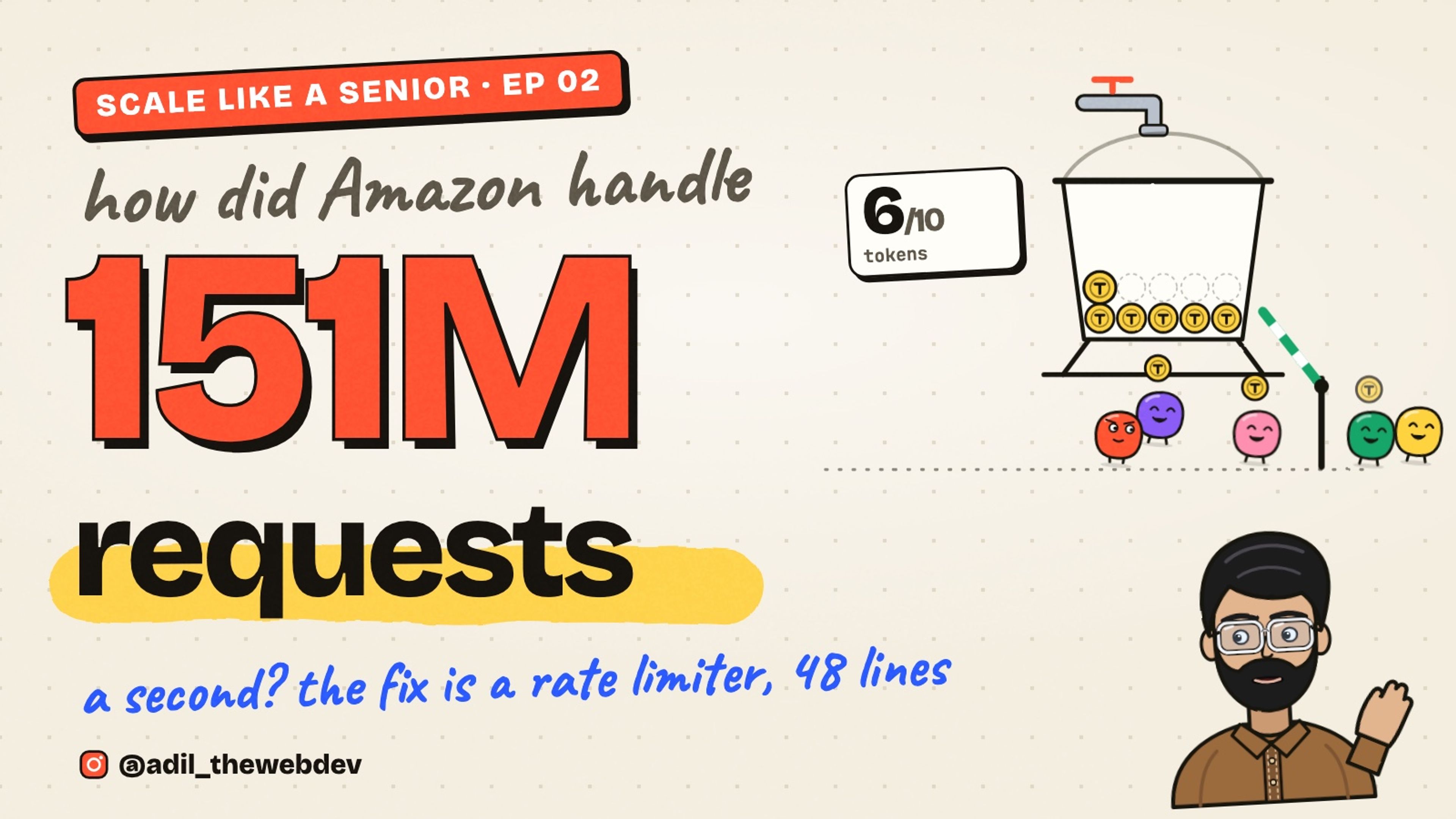
How did Amazon handle 151 million requests a second on Prime Day? One part of the answer is simple. Amazon sets a limit for every user. If a user sends too many requests, the extra ones are refused.
This is called a rate limiter. In this post I will show you the real problems we faced with rate limits at work, and the solution we made for each one. The main solution is 48 lines of TypeScript. You can copy it and use it today.
If you read my last post, you know the concurrency limiter. That one controls how many jobs run at the same time. A rate limiter is different. It controls how many requests are allowed in one second. You will often need both.
First, what is a rate limit?
Picture a bucket that holds 10 tokens. Every request has to take one token to get in. A tap refills the bucket slowly, a few tokens every second. Empty bucket? The request is turned away.
That is the whole idea. It is called the token bucket, and it has two numbers:
- Capacity. How many tokens the bucket holds. This is the burst: how many requests can come at once.
- Refill rate. How many tokens come back every second. This is the speed you allow over time.
Keep these two numbers in mind. Every problem below is about one of them.
Problem 1: The platform said no to us
I work on a service that creates ads on an advertising platform. When a customer launches a campaign, we send hundreds of requests to the platform's API. One request per ad, one per video, one per ad group.
The platform has a rule: 10 requests a second, 600 a minute, and 864,000 a day. Our code did not know about this rule. It looked like this:
for (const ad of ads) {
  await platform.createAd(ad);
}
It sends requests as fast as it can. When a customer launched 200 ads, we sent maybe 30 requests in the first second. The platform answered with an error for most of them. So the launch failed in the middle, with some ads created and some not.
The platform was not broken. We were the problem. We were like the user who sends too many requests to Amazon.
The solution: take a token before every request
We put a bucket in front of the API. Before every request, we take a token. If the bucket is empty, we wait a little and try again. The request is never sent early.
async function paced<T>(call: () => Promise<T>): Promise<T> {
  while (!limiter.tryTake()) {
    await sleep(50);
  }
  return call();
}
The bucket holds 10 tokens and refills 10 a second. So the first 10 requests go immediately, and after that we send exactly 10 a second. The platform never says no again.
One more detail. The platform has three rules, per second, per minute and per day. So we use three buckets, and a request needs a token from all three:
const perSecond = createRateLimiter(10, 10, now);
const perMinute = createRateLimiter(600, 10, now);
const perDay = createRateLimiter(864_000, 10, now);

function tryTakeAll(): boolean {
  const all = [perSecond, perMinute, perDay];
  if (all.some((bucket) => bucket.tokens < 1)) return false;
  for (const bucket of all) bucket.tryTake();
  return true;
}
All three refill at the same speed, 10 a second. The difference is the capacity. The minute bucket allows a burst of 600, the day bucket a burst of 864,000. Most days only the first bucket ever gets empty.
How the rate limiter works
Here is the full code. It is 48 lines and it has zero dependencies.
export interface RateLimiter {
  tryTake(): boolean;
  readonly tokens: number;
}

export function createRateLimiter(
  capacity: number,
  refillPerSecond: number,
  now: () => number = Date.now
): RateLimiter {
  if (
    !(capacity >= 1) ||
    !(refillPerSecond > 0)
  ) {
    throw new RangeError(
      'capacity and refill must be positive'
    );
  }

  let tokens = capacity;
  let last = now();

  const refill = (): void => {
    const t = now();
    const earned =
      ((t - last) / 1000) * refillPerSecond;
    tokens = Math.min(
      capacity,
      tokens + earned
    );
    last = t;
  };

  const tryTake = (): boolean => {
    refill();
    if (tokens < 1) return false;
    tokens -= 1;
    return true;
  };

  return {
    tryTake,
    get tokens() {
      refill();
      return Math.floor(tokens);
    },
  };
}
If you like to watch, this video explains the same code step by step.
Now let's understand it part by part.
1. The contract is one function
export interface RateLimiter {
  tryTake(): boolean;
  readonly tokens: number;
}
A rate limiter has one job. You ask tryTake() and it answers true if your request may pass, or false if it has to wait. That is all. tokens is only there so you can see what is inside the bucket.
2. It checks the numbers you pass
export function createRateLimiter(
  capacity: number,
  refillPerSecond: number,
  now: () => number = Date.now
): RateLimiter {
  if (
    !(capacity >= 1) ||
    !(refillPerSecond > 0)
  ) {
    throw new RangeError(
      'capacity and refill must be positive'
    );
  }
A bucket with no capacity, or one that never refills, would block everyone forever. So we throw right away. The third argument, now, is a clock. In production it is Date.now. In tests we pass our own clock, so we can move time forward without waiting.
3. It keeps only two things in memory
let tokens = capacity;
let last = now();
How many tokens are in the bucket, and the last time we refilled it. The bucket starts full, so the first requests never wait.
4. Refill without a timer
const refill = (): void => {
  const t = now();
  const earned =
    ((t - last) / 1000) * refillPerSecond;
  tokens = Math.min(
    capacity,
    tokens + earned
  );
  last = t;
};
This is the part people find surprising. There is no timer running in the background. When somebody asks for a token, we look at how much time has passed and add the tokens we earned in that time.
So if 0.5 seconds passed and the rate is 10 a second, we add 5 tokens. Math.min keeps the bucket from going above the capacity. A bucket that has been quiet for an hour is simply full, not overflowing.
5. tryTake refills first, then decides
const tryTake = (): boolean => {
  refill();
  if (tokens < 1) return false;
  tokens -= 1;
  return true;
};
Refill first. If there is less than one token, say no. Otherwise take one and say yes. The tokens can be a fraction, like 2.4. That is fine. It means the next token is on its way.
Problem 2: We had more than one server
The limiter worked. Then we ran the launch service on 3 servers, and the errors came back.
Why? Each server had its own bucket in its own memory. Each one sent 10 requests a second. So together we were sending 30 a second, and the platform's rule is 10. The limiter was correct, but it only knew about its own server.
The solution: one bucket for all servers, in Redis
We moved the bucket out of the server's memory into Redis. Redis is a small, fast store that all our servers can reach. Now there is one bucket, and every server takes tokens from the same one.
There is one trap here. Refill and take must happen in one step. If server A reads the bucket, server B reads it, and then both take a token, you gave away one token twice. So we do the whole thing inside Redis with a small script. Redis runs the script alone, nobody can get in the middle.
-- KEYS[1] = the bucket, ARGV[1] = refill per second, ARGV[2] = capacity
local t = redis.call('TIME')
local now = tonumber(t[1]) * 1000 + math.floor(tonumber(t[2]) / 1000)
local rate, cap = tonumber(ARGV[1]), tonumber(ARGV[2])

local d = redis.call('HMGET', KEYS[1], 'tokens', 'ts')
local tokens, ts = tonumber(d[1]), tonumber(d[2])
if tokens == nil then tokens = cap; ts = now end

-- refill for the time that passed, never above the capacity
tokens = math.min(cap, tokens + ((now - ts) / 1000) * rate)

local allowed, wait = 0, 0
if tokens >= 1 then
  tokens = tokens - 1
  allowed = 1
else
  wait = math.ceil(((1 - tokens) / rate) * 1000)
end

redis.call('HSET', KEYS[1], 'tokens', tokens, 'ts', now)
redis.call('PEXPIRE', KEYS[1], math.ceil((cap / rate) * 1000) + 2000)
return {allowed, wait}
It is the same algorithm as the TypeScript version. Read the time, refill, take one if you can, save. It answers two numbers: whether the token was taken, and how long to wait if not.
And this is how a server uses it:
async function takeShared(key: string, refillPerSecond: number, capacity: number) {
  for (;;) {
    const [allowed, waitMs] = await redis.eval(script, [key], [refillPerSecond, capacity]);
    if (allowed === 1) return;
    await sleep(waitMs);
  }
}
Now 3 servers, or 30, share one limit of 10 a second. We also keep a second bucket per customer account, because the platform has a limit per account too. A request needs a token from both.
Problem 3: Waiting forever, and Redis going down
The shared bucket created two new problems. They are small, but in production small problems wake you up at night.
First, a request could wait forever. If the bucket is very busy, takeShared loops and loops. The customer sees a launch that never finishes and never fails.
Second, what happens if Redis is down? Every request would fail before it is even sent. One small store would stop every launch for every customer.
The solution: a time budget, and a clear decision
async function takeShared(key: string, refillPerSecond: number, capacity: number) {
  const deadline = now() + 30_000;
  try {
    for (;;) {
      const [allowed, waitMs] = await redis.eval(script, [key], [refillPerSecond, capacity]);
      if (allowed === 1) return;
      if (now() >= deadline) {
        throw new Error('Waited 30 seconds for a token; request not sent');
      }
      await sleep(Math.min(waitMs, deadline - now()));
    }
  } catch (error) {
    if ((error as Error).message.startsWith('Waited')) throw error;
    // Redis is down. Let the request through and warn once.
    warnOnce('rate limiter is off: Redis is not reachable');
  }
}
So a request waits a maximum of 30 seconds. After that it fails with a clear message, and the customer sees what happened.
And if Redis is not reachable, we let the request through. This is a decision, not an accident. For us, sending a few requests too fast is a smaller problem than stopping every launch. We write a warning in the logs, one time only, so we know the limiter is off. In another system you might decide the opposite. The important thing is to decide.
Problem 4: Now it is your API, and one user
So far we were the user sending too many requests. Now turn it around. You have an API, and one user, or one bot, sends 10,000 requests a second. Without a limit, your server does all that work. Real users wait, and the server can go down.
This is the same problem Amazon has. And the fix is the same bucket, but now there is one bucket per user.
The solution: one bucket per user, and a 429
const limit = app.use((req, res, next) => {
  let bucket = buckets.get(req.ip);
  if (!bucket) {
    bucket = createRateLimiter(10, 5, now);
    buckets.set(req.ip, bucket);
  }
  if (!bucket.tryTake()) {
    res.setHeader('Retry-After', '1');
    return res.status(429).end();
  }
  next();
});
Every user gets a bucket of 10 tokens that refills 5 a second. A user can send a small burst, then 5 requests a second. Anything more gets the answer 429 Too Many Requests, and the expensive work never runs. The Retry-After header tells a good client when to try again.
There is one thing you must not forget. The Map of buckets grows with every new user, and it never shrinks. After a month you have a bucket for every IP that ever visited. So we clean it once a minute:
function removeQuietUsers() {
  for (const [ip, bucket] of buckets) {
    // a full bucket means the user sent nothing for a while
    if (bucket.tokens === 10) buckets.delete(ip);
  }
}
A full bucket means the user has sent nothing for a while. So we can throw it away. If the user comes back, they get a fresh full bucket, which is exactly what they would have anyway.
What this does not solve
I want to be honest with you. A rate limiter is one tool, not the whole answer.
- It is not how Amazon serves 151 million requests a second. That needs thousands of servers, load balancers and caching. The limiter is what keeps one user from taking more than their share of all that.
- A limit per IP is not a limit per person. Many people share one IP in an office, and one person can use many IPs. For a real API, limit per API key or per account.
- The bucket in memory is per server. As soon as you have two servers, you need the Redis version from Problem 2.
- Refusing is not the only answer. Sometimes you want to queue the request instead of refusing it. That is the concurrency limiter from the last post. Many systems use both: a rate limiter at the door, a concurrency limiter inside.
If you do not want to write it yourself, express-rate-limit does the middleware part and can use Redis. The difference is that now you know what it is doing.
All the problems and solutions
- The platform said no to us. Take a token from a bucket before every request, and wait when it is empty.
- More than one server. Keep one bucket in Redis, and refill and take in one step with a script.
- Waiting forever, and Redis going down. Give up after 30 seconds with a clear error, and decide what happens when the store is down.
- One user hitting your API. One bucket per user, answer 429, and clean up the buckets of users who went quiet.
What is next
A rate limiter says no when there is too much. But what should your code do when somebody says no to you? Try again, but not immediately, and not forever. That is called retry with backoff, and it is the next post.
I post every topic as a short video first. You can follow @adil_thewebdev on Instagram for the next one. And if you are building something that has to scale, you can contact me here.