· 6 min read
How to Stop Spam Bots on Your Contact Form Without a Captcha
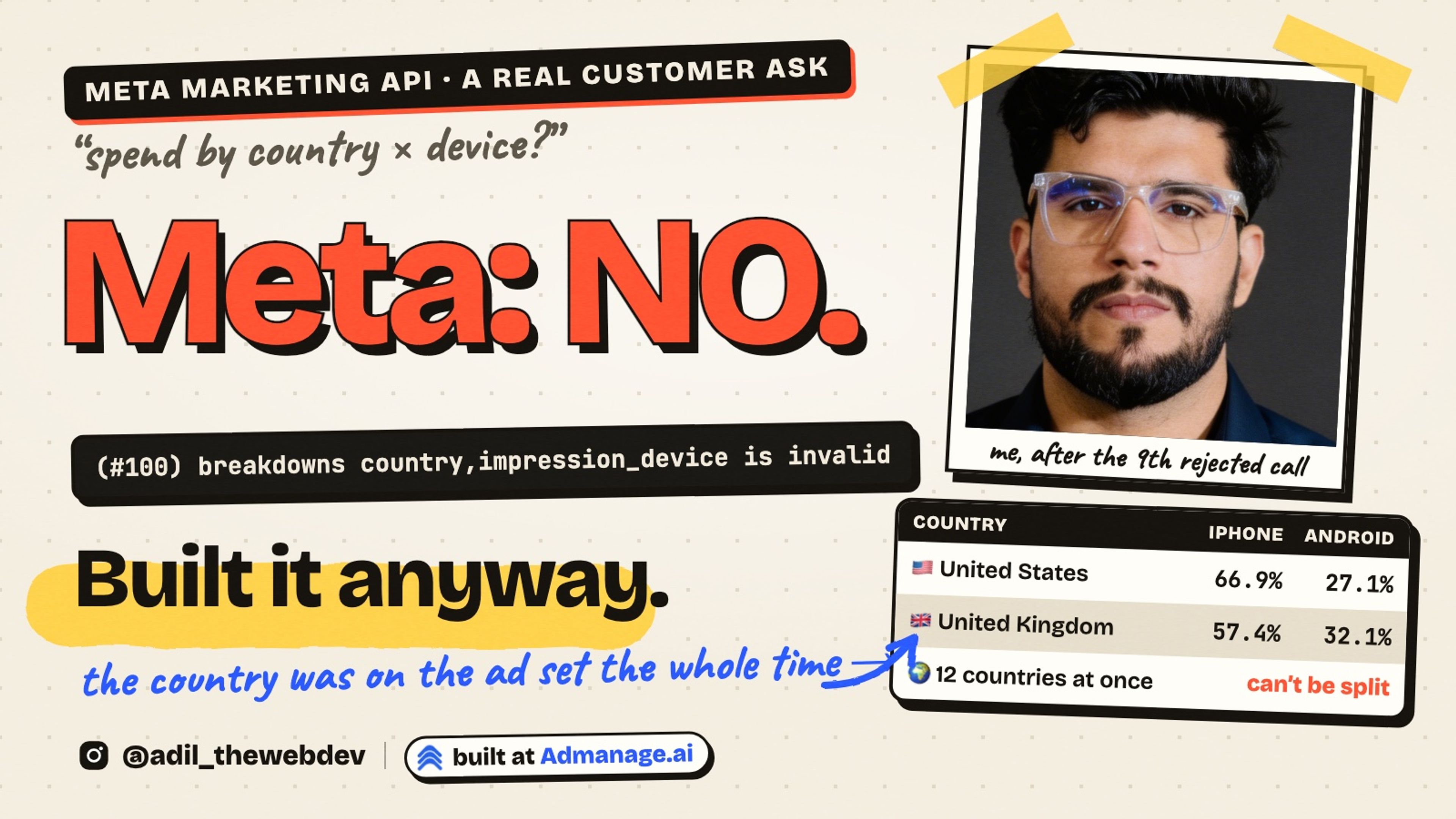
Bots filled my portfolio's contact form with random letters for weeks. Here is the real problem and the three silent checks that stopped them, in about 40 lines of TypeScript.
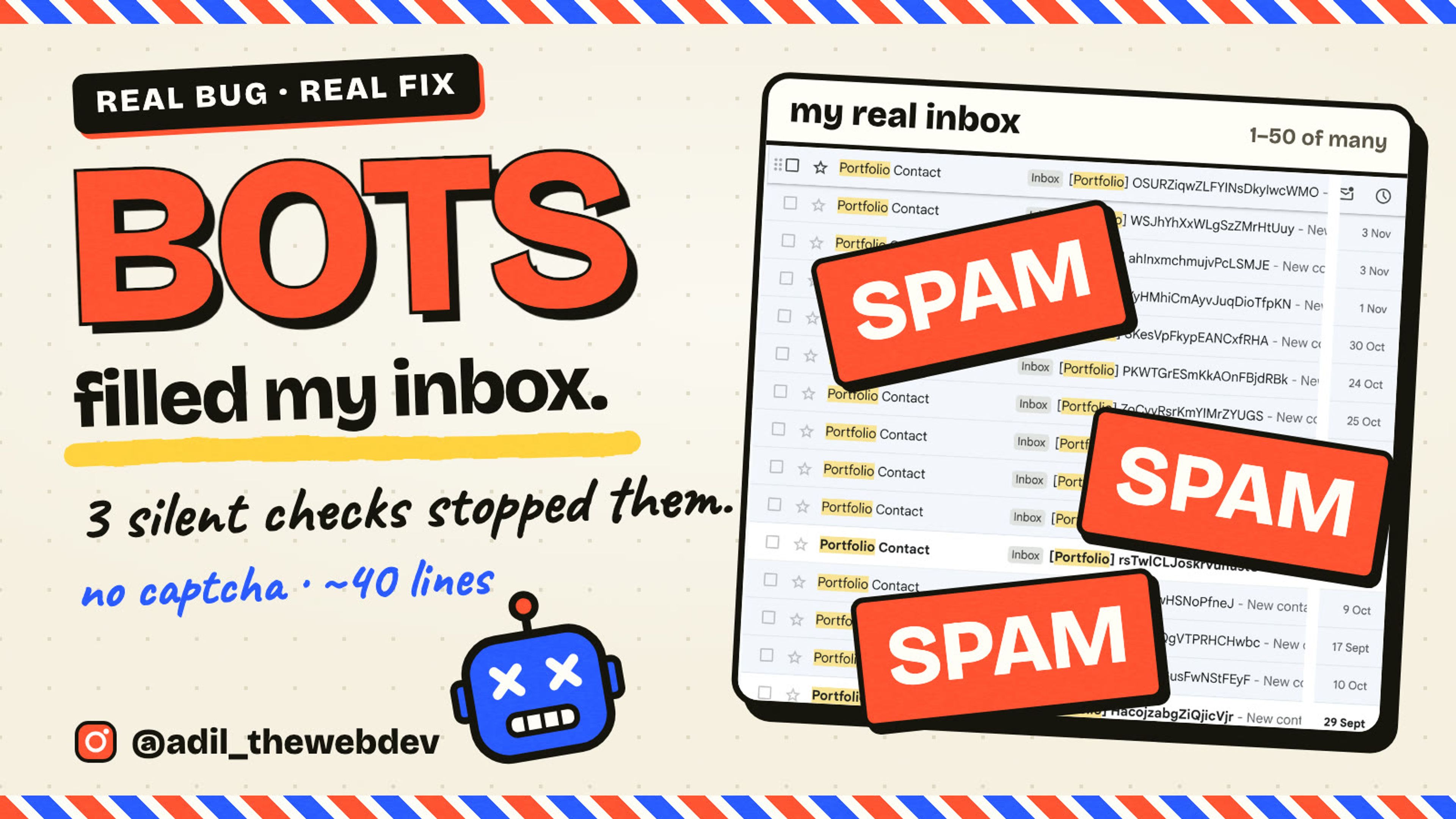
Do you have a contact form on your website? Then bots are probably filling it in right now.
My portfolio has one. For weeks, my inbox looked like this.
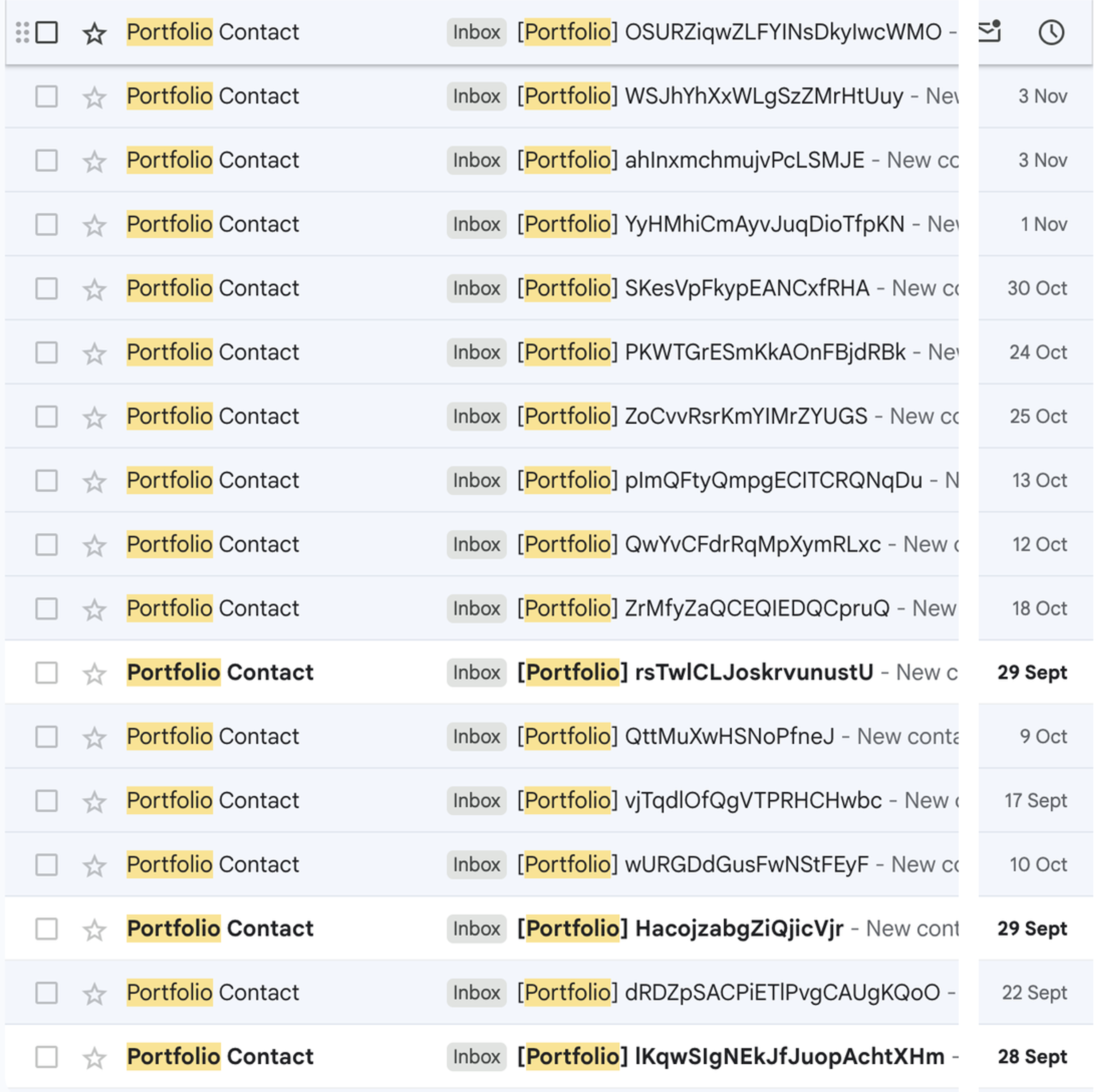
Every email had the same shape. The subject was random letters. The message was random letters. Even the name was random.
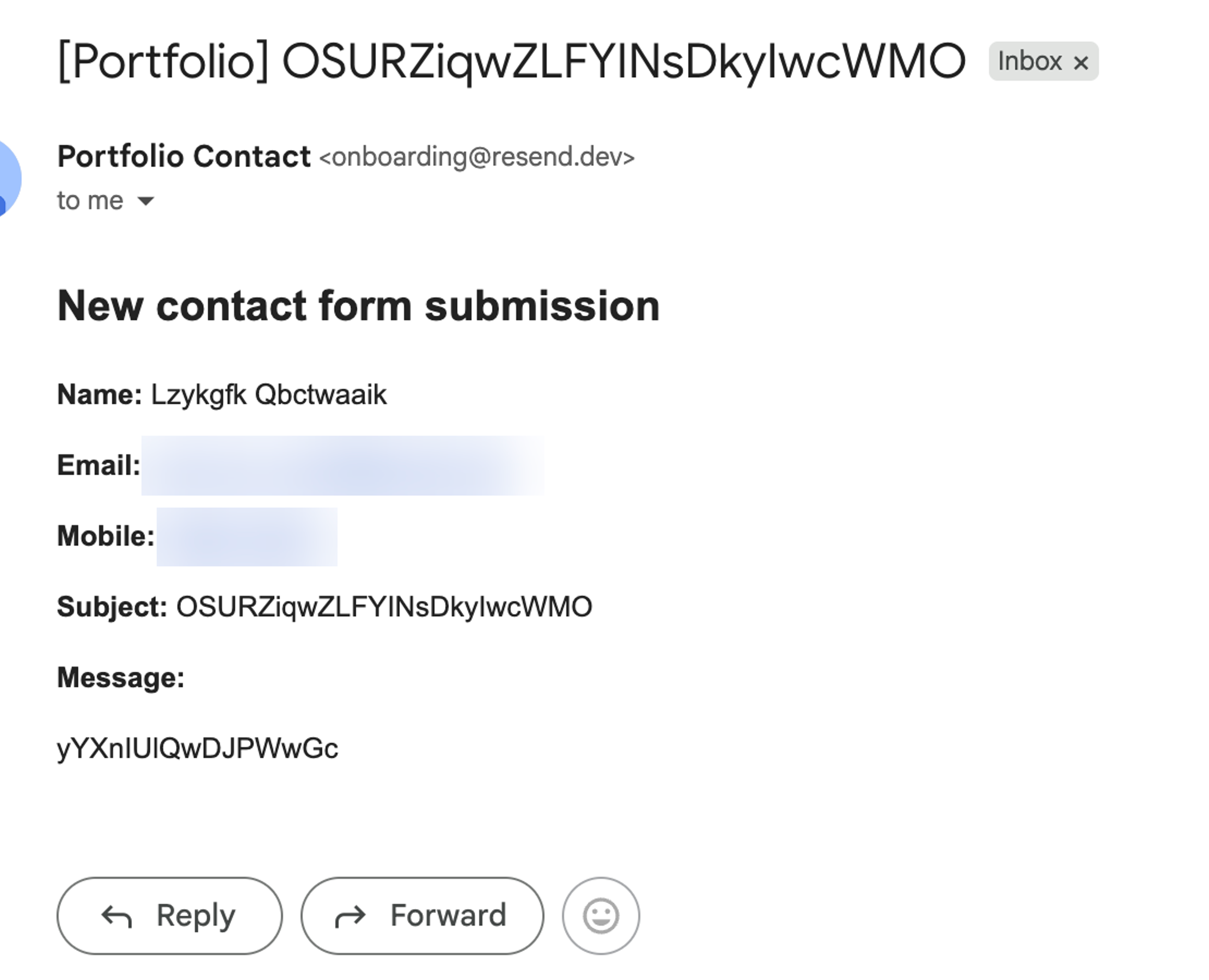
They came again and again, from the middle of September to November. Not one was from a real person.
In this post I will show you why my form let them in, and why I did not add a captcha. Then the three silent checks that stopped them. The whole filter is about 40 lines of TypeScript, with zero dependencies.
First, how the form worked
The form is simple. The browser sends the fields as JSON to a Next.js API route. The route sends me an email with Resend.
const { name, email, mobile, subject, message } = req.body ?? {};

if (!name || !email || !subject || !message) {
  return res.status(400).json({ error: "Missing required fields" });
}

await resend.emails.send({
  // ...build the email and send it to me
});
Do you see the problem? The API trusts every request. If four fields are filled in, it sends an email. So a bot only needs to fill in four fields.
Problem 1: The bot does not need your page
Many bots never load the form. They find /api/contact and post straight to it.
So anything you only do in the browser does nothing against them. A required attribute, a pattern, a JavaScript check: the bot skips all of it.
The checks must run on the server, in the API route, before the email is sent.
Why not a captcha?
The first idea is a captcha. It works, but real visitors hate it. They came to send you a message, and you ask them to find traffic lights.
I wanted something the visitor never notices. And here is the thing: bots do not behave like people. So we check for that.
Check 1: A hidden field only bots fill in
This is called a honeypot. You add one more field to the form, and you hide it from people.
{/* Honeypot: hidden from people, but bots fill every field. */}
<div aria-hidden="true" className="absolute -left-[9999px] h-0 w-0 overflow-hidden">
  <label>
    Leave this field empty
    <input type="text" name={HONEYPOT_FIELD} tabIndex={-1} autoComplete="off" />
  </label>
</div>
A person never sees it, so they leave it empty. A bot fills in every field it finds. So if the field has a value, it is a bot.
A few details matter here.
- It is moved off the screen, not removed. The input is still in the page, so bots still find it.
aria-hiddenandtabIndex={-1}. Screen readers skip it, and the Tab key never lands on it. So keyboard users never type into it by mistake.autoComplete="off". The browser should not fill it in for the visitor.
Check 2: A timer
How long does it take you to fill in a name, an email, a subject and a message? At least a few seconds. A bot does it in a few milliseconds.
So the form saves the time it opened, and sends it with the message.
// When the visitor first saw the form; bots usually submit instantly.
const startedAt = useRef<number>(0);

useEffect(() => {
  startedAt.current = Date.now();
}, []);

// in handleSubmit, before the fetch:
formData.set(STARTED_AT_FIELD, String(startedAt.current));
On the server, two cases mean a bot. The message came in under 3 seconds. Or there is no time at all, which means the bot skipped the page and posted straight to the API.
Check 3: Random text
Look at the subject again: OSURZiqwZLFYINsDkylwcWMO. What makes it look random?
Capital and small letters flip back and forth. Real words flip once or twice. JavaScript flips 3 times. This subject flips 6 times, and the message flips 10.
// Check 3: "OSURZiqwZLFYINsDkylwcWMO".
// One word, letters only, case flips a lot.
export function countFlips(text: string) {
  let flips = 0;
  for (let i = 1; i < text.length; i++) {
    const a = text[i - 1];
    const b = text[i];
    const aUp = a === a.toUpperCase();
    const bUp = b === b.toUpperCase();
    if (aUp !== bUp) flips++;
  }
  return flips;
}

export function isGibberish(value: string) {
  const text = value.trim();
  if (text.length < 10) return false;
  if (!/^[A-Za-z]+$/.test(text)) return false;
  return countFlips(text) >= 4;
}
The rule: one long word, letters only, no spaces, and 4 flips or more.
But this rule alone would block real people. A subject like iPhoneAppDevelopment also flips 6 times. So I only block when both the subject and the message look random. A real message has spaces.
Putting the three checks together
export function isSpam(
  body: Body,
  now = Date.now(),
): string | null {
  // Check 1: the honeypot.
  // A hidden field only bots fill in.
  if (body.website) return 'honeypot';

  // Check 2: the timer.
  const started = Number(body.formStartedAt);
  const ms = now - started;
  if (Number.isNaN(ms)) return 'no timer';
  if (ms < MIN_FILL_MS) return 'too fast';

  // Check 3: random text.
  const subject = String(body.subject ?? '');
  const message = String(body.message ?? '');
  if (
    isGibberish(subject) &&
    isGibberish(message)
  ) {
    return 'random text';
  }

  return null;
}
It returns the reason, or null when the request looks human. The reason is only for my logs.
In my repo the same checks live in lib/spamFilter.ts, in a function called detectSpam. That version also drops forms that were left open for more than a day.
Problem 2: Do not tell the bot what caught it
What should the API answer when it blocks a bot? An error feels right. But an error tells the bot it was caught, and which request did it. A smarter bot can try again until it gets through.
So the API answers with a normal success. The bot thinks it worked. Nothing reaches my inbox.
const spamReason = detectSpam(body, fields);
if (spamReason) {
  // Answer like a success so bots don't learn what tripped the filter.
  console.warn("Contact form spam blocked:", spamReason, { email });
  return res.status(200).json({ success: true });
}
I still log the reason. So I can see what the filter blocks, and notice if it ever blocks a real person.
Problem 3: Real mistakes still need a real error
A silent success is only for bots. A person who types a broken email address must see what went wrong.
So the API checks the fields first, and answers 400 with a plain message, like "Please enter a valid email address.". The form shows that message under the button. It also has length limits, so nobody can send a 5 MB message.
How I tested it
First, the teaching version has tests. One of them is the exact email from my inbox.
test('the real spam email from the inbox', () => {
  const bot = {
    ...human,
    subject: 'OSURZiqwZLFYINsDkylwcWMO',
    message: 'yYXnIUlQwDJPWwGc',
  };
  assert.equal(isSpam(bot, NOW), 'random text');
});
There are 8 tests in total. One checks every number I say in this post and in the video, like the 6 flips. That test caught a mistake in my first script: I had written that JavaScript flips twice. It flips 3 times.
Then I sent the real spam to my local server.
NOW=$(( $(date +%s) * 1000 ))
curl -X POST localhost:3000/api/contact \
  -H 'Content-Type: application/json' \
  -d "{\"name\":\"Lzykgfk Qbctwaaik\",\"email\":\"x@gmail.com\",
       \"subject\":\"OSURZiqwZLFYINsDkylwcWMO\",
       \"message\":\"yYXnIUlQwDJPWwGc\",
       \"formStartedAt\":\"$((NOW - 10000))\"}"

# {"success":true}   and no email arrives
# server log: Contact form spam blocked: random-string subject and message
The honeypot, the timer and the missing timer each have their own request too. All four were blocked, and a broken email got the 400 message.
What this does not solve
- A smart bot can still get through. A bot that waits 4 seconds, skips hidden fields and writes real sentences passes all three checks. If that happens, add a captcha like Cloudflare Turnstile on top. These checks stop the cheap bots, and in my inbox that was all of them.
- People who send spam by hand. No filter can tell a rude human from a polite one.
- The random-text rule only knows one pattern. Bots that send real words need a different check.
All the problems and solutions
- The API sent an email for every request. Check every request on the server, before the email is sent.
- Bots fill in every field. Add a hidden honeypot field. If it has a value, it is a bot.
- Bots are too fast. Send the time the form opened. Under 3 seconds, or no time, is a bot.
- Bots send random letters. Count the case flips. Block when the subject and the message are both random.
- Errors teach the bot. Answer blocked bots with a normal success, and log the reason.
- People make real mistakes. Answer those with a 400 and a plain message the form shows.
The lesson
You do not always need to ask the user to prove they are human. Often you can just notice that they are not acting like one.
I post every topic as a short video first. You can follow @adil_thewebdev on Instagram for the next one. And if bots are filling your forms too, you can contact me here. Through the form, of course.